Choose Meeting, Interview, Lecture, or Thinking. The saved audio and final transcript remain separate from any reviewable overview.

Afterthought 2.6
Capture ideas. Make them happen.
Speak from your iPhone, Apple Watch, or Action Button before the thought disappears. Afterthought can separate multiple ideas and prepare notes, tasks, reminders, events, and actions for the apps you already use.
Capture first. Decide afterwards.
Afterthought preserves what you said, works out the useful details, and prepares the result for review. Keep it in Afterthought or send it to the right app when you are ready.
Speak
Use iPhone, Action Button, or Apple Watch.
Afterthought understands
It works out the useful details.
Ready to review
Check or change the prepared action.
Send or run
Use the right app, Shortcut, or workflow.
Afterthought 2.6: longer capture, with the source kept intact.
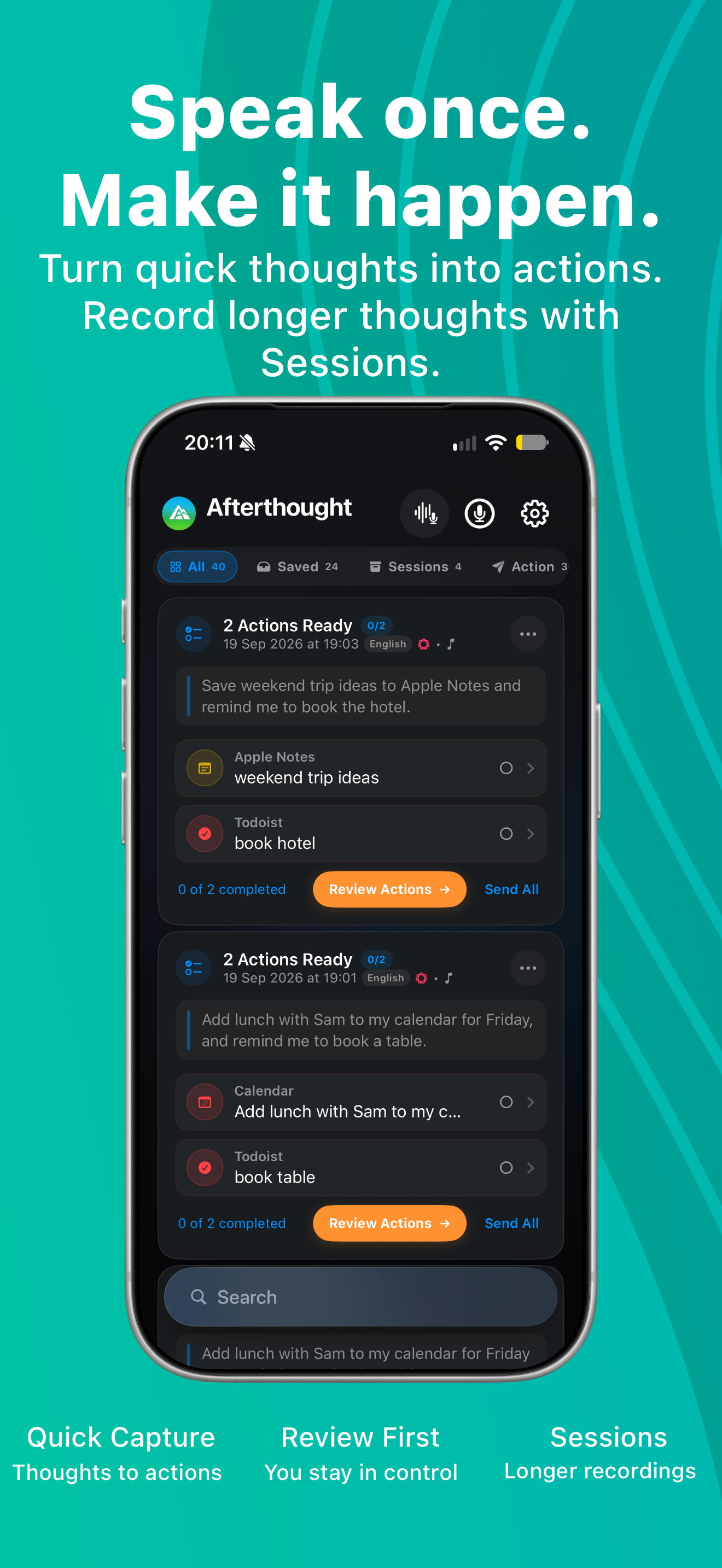
Sessions brings a deliberate, source-preserving workflow to meetings, interviews, lectures, and extended thinking—alongside a more capable review surface for quick captures.
Separate requests can stay together as independently reviewable actions instead of becoming one ambiguous result.
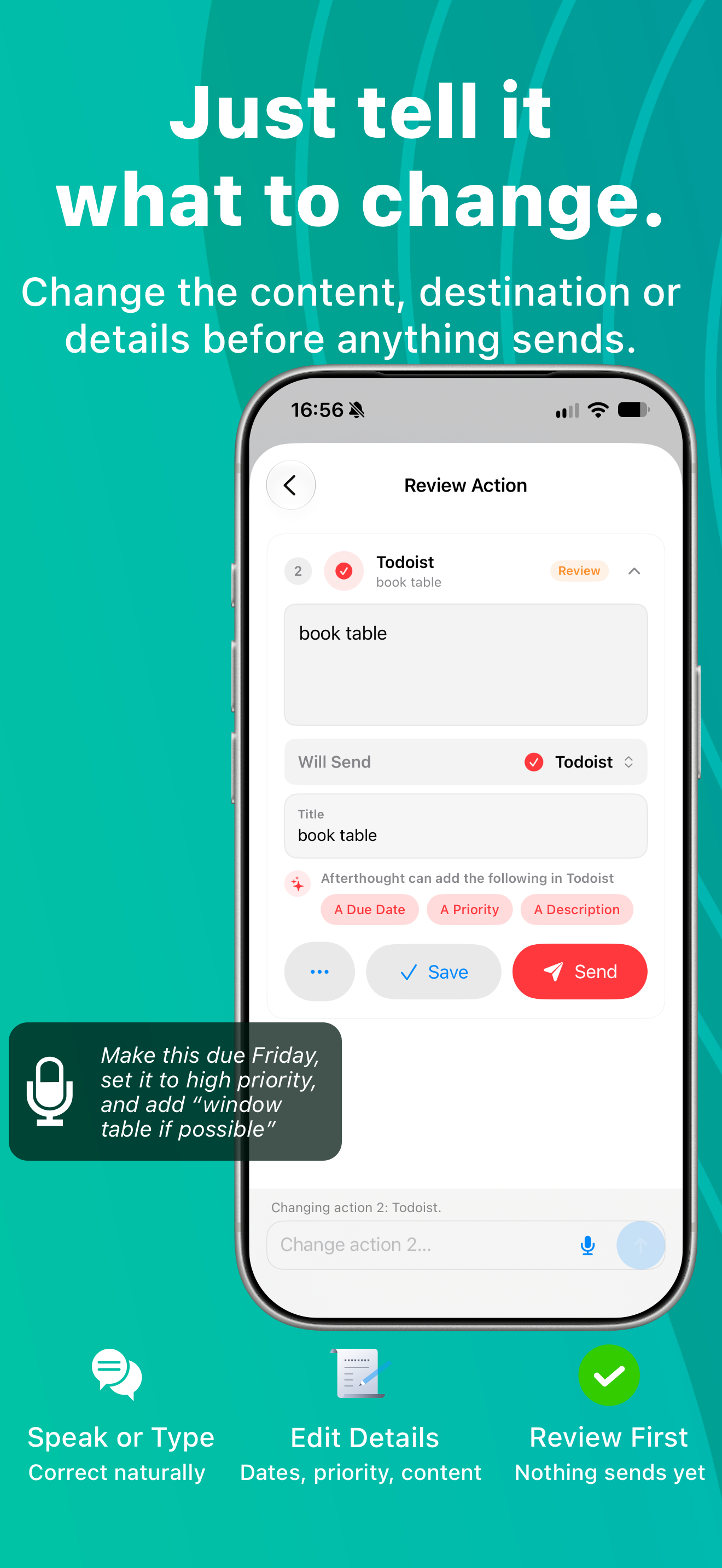
Change content, destination, or useful details with a typed or spoken instruction before anything is sent.
An interrupted Session can return to review from its locally saved recording rather than disappearing.
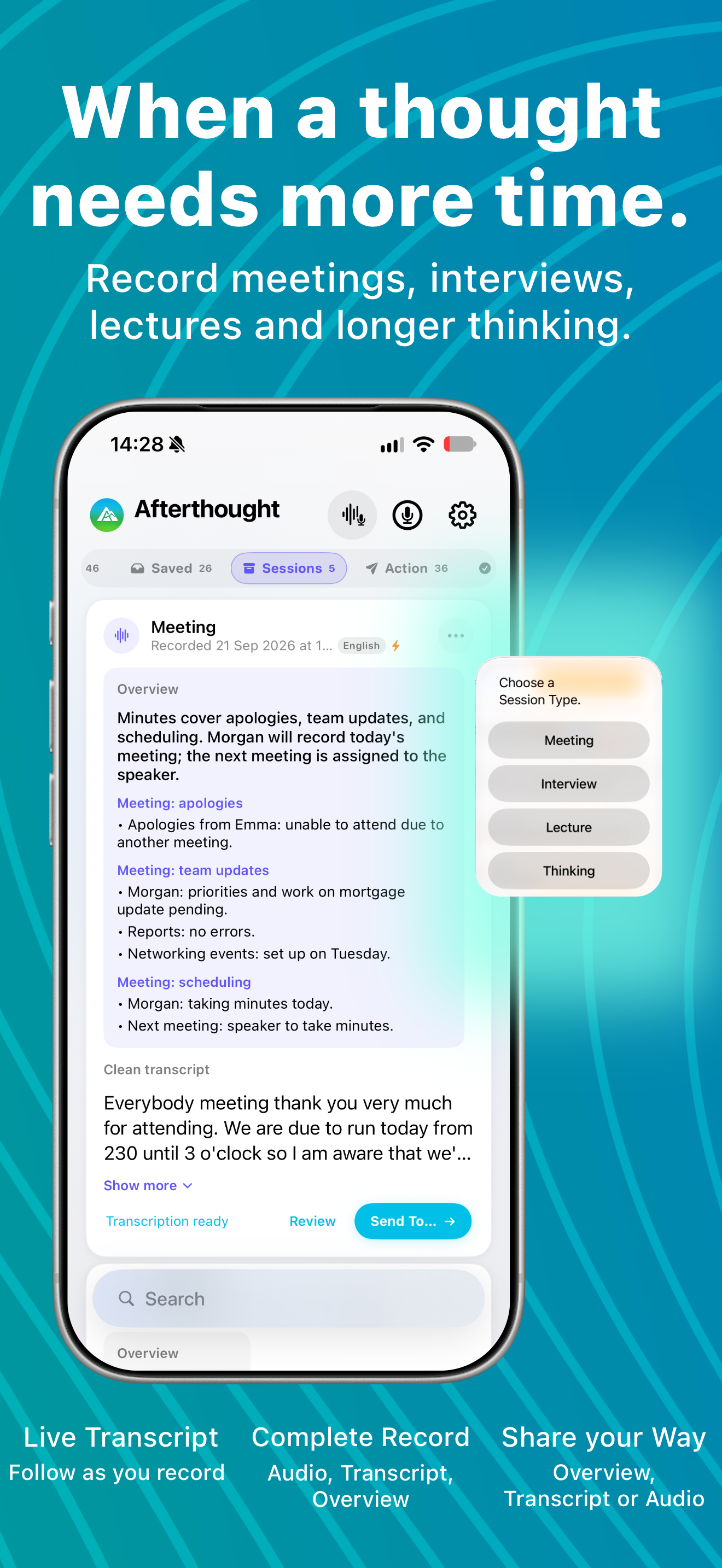
Sessions, multi-action recordings, and uncertain results remain review-first. Nothing from a Session sends automatically.
Made to move with you.
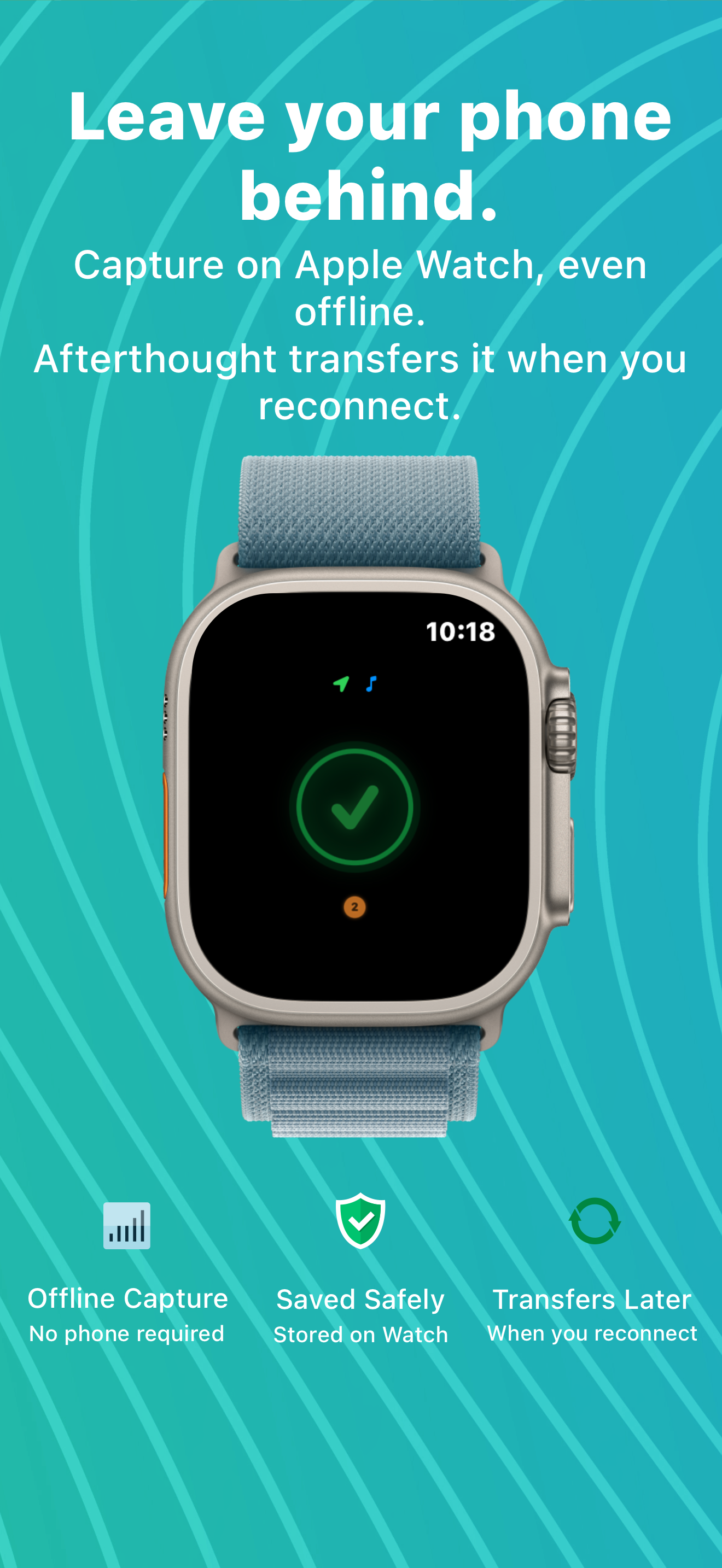
Record from your iPhone, Action Button, or Apple Watch. Watch captures are stored locally first, without a cloud relay, and sync back when your iPhone reconnects.
Understands what your apps need.
Afterthought is not built just to store transcripts. From one voice message, it can identify the intended app and prepare the action, date, recipient, title, message, context, Shortcut name, or Apple Music command that app needs.
Explore supported apps and fields
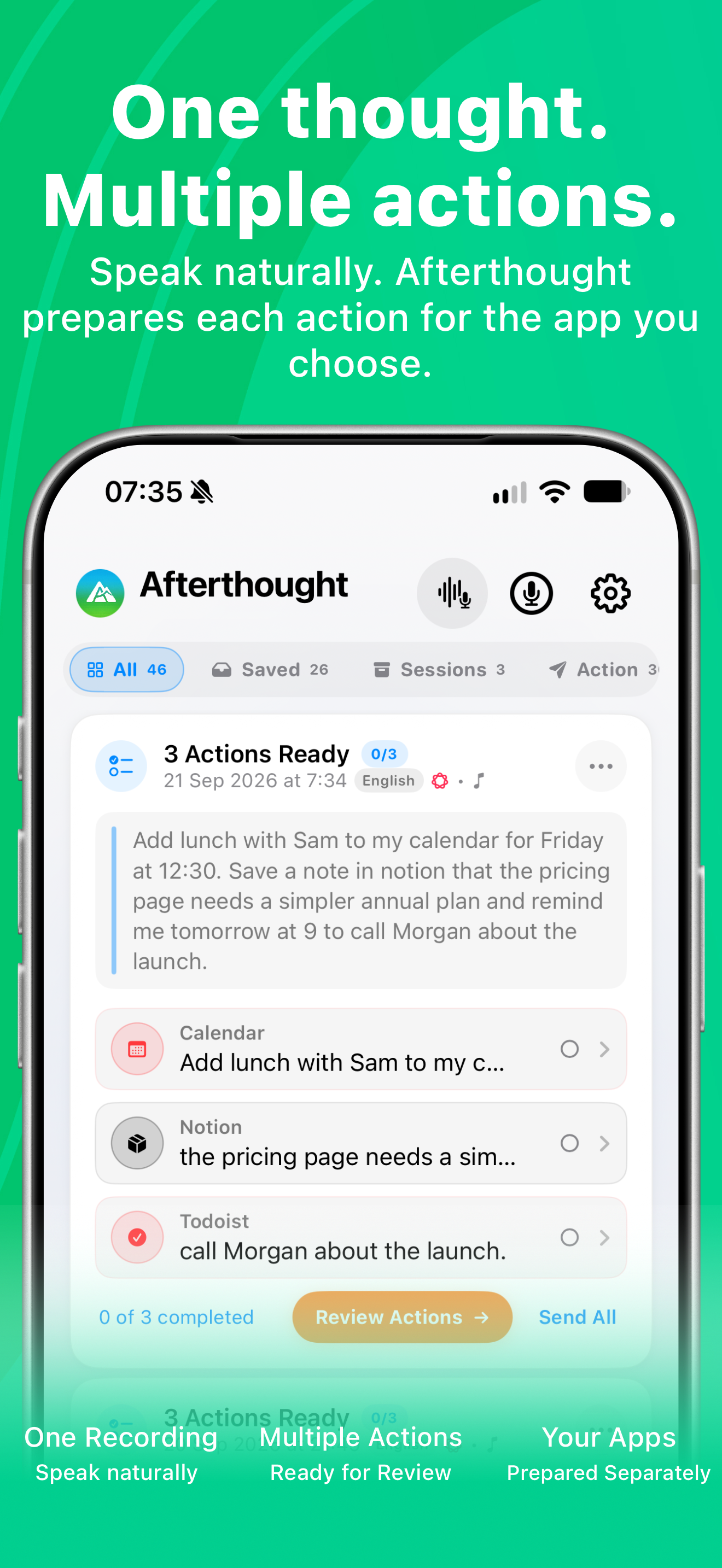
One recording. More than one action.
Afterthought 2.6 preserves separate requests from a single recording and prepares them together for review. Correct one or all of them with a typed or spoken instruction; accepted changes appear immediately and never send automatically.
Built for voice-to-action.
Fast capture is only the start. Afterthought helps turn what you said into something structured, reviewable, and ready for the app where it belongs.
Record in the app, from Action Button, or from Apple Watch when the thought appears.
Turn speech into notes, tasks, reminders, messages, events, journal entries, and app handoffs.
Choose Transcribe Only, Classify & Review, or Classify & Send as your standard behaviour.
Find captures by state or destination, including saved, action, sent, and app-specific views.
Turn one recording into several grounded actions. Bundles always stay in review.
Capture away from your iPhone. Recordings are stored locally first and sync back later.
On supported iPhones, Apple Intelligence helps work out the useful details privately on device.
Add third-party workflows for Notion, Todoist, Slack, Bear, Obsidian, Day One, Evernote, and more.
Change one or several prepared actions with a single instruction while everything remains in review.
Use a different capture mode for one in-app recording, then return to your standard setting.
See what your voice can do.
Say what is on your mind or name the app directly. Afterthought turns each capture into a clear result you can review before anything is sent.
“I need to call Sarah tomorrow about the contract.”
ReminderApple Reminders
Ready
- Action
- Call Sarah about the contract
- Date
- Tomorrow
- Destination
- Reminders
“Send this to Notion: review the onboarding ideas with the team.”
NoteNotion
Ready
- Title
- Onboarding ideas
- Details
- Review with the team
- Destination
- Notion
“Run my Leaving Home shortcut.”
ShortcutApple Shortcuts
Queued
- Action
- Run shortcut
- Name
- Leaving Home
- Device
- iPhone when reconnected
“Add this song to my Deep Work playlist.”
Music actionApple Music
Ready
- Action
- Add the captured track
- Playlist
- Deep Work
- Context
- Now Playing on capture
Your apps. Your workflow. Just an easier way in.
Afterthought does not replace your productivity apps. It prepares the useful details and helps you get them into the destination you choose. Multiple-action bundles always wait for review.
Ways to use Afterthought.
Start with the workflow you already have. Afterthought is a faster way into it, not another system to migrate to.
Capture the idea first, review a clear title and body, then send it to Notion.
Explore Notion voice notesSpeak a task, then review its supported date, priority, and description details.
Explore Todoist voice tasksCapture an idea, review it, then share it to Apple Notes when you are ready.
Explore Apple Notes captureSpeak the reminder, then review its prepared date and time before saving.
Explore Apple Reminders captureRecord an idea from your wrist, even when your iPhone is not nearby.
Explore Apple Watch capturePress once, speak naturally, and decide where the result belongs afterwards.
Explore Action Button captureDeeper understanding. Still private.
Choose the intelligence that turns your voice into the right action. In 2.6, Apple Intelligence, downloaded Local AI Models, and configured Cloud AI follow one shared classification policy. On compatible devices, Apple Intelligence works out useful details without sending your notes to the cloud.
Compatibility mode Included
Classic is a fast, conservative on-device classifier for straightforward notes, reminders, tasks, and single-action routing when Apple Intelligence is unavailable.
Apple Intelligence Included
Uses Apple's built-in intelligence for richer voice-to-action understanding, with no separate model download. Requires a supported device with iOS 26 or later.
Private on-device AI Pro
Download additional private model choices for natural instructions, useful details, and longer or less structured thoughts. Performance varies by device.
Cloud AI Optional Pro
Connect your chosen provider only if you want to. Nothing is sent to cloud AI unless you explicitly configure it.
Creative Mode Pro beta
After capture, turn a reviewed item into a draft, polished version, reply, idea list, plan, or journal version. Send beta feedback to hello@tocolabs.co.uk.
Private and local first.
Afterthought is designed as a mobile tool for iPhone and Apple Watch. Capture, transcription, storage, and understanding can stay on your devices, with cloud AI used only if you explicitly configure it.
Stored on your devices Recordings and captures stay on your iPhone and Apple Watch unless you choose a destination.
No required account Start capturing without creating another login.
Safer review The original transcript is preserved, so you can undo generated changes or restore what you said.
You control processing Use Apple Intelligence or Classic; Pro adds downloaded Local AI Models and optional configured cloud AI.
Good to know.
What does Afterthought do?
Afterthought goes beyond transcription by working out the useful details and preparing tasks, notes, reminders, messages, calendar and journal entries, queued Shortcuts, Apple Music actions, and other app handoffs.
Does it work with Apple Watch?
Yes. Apple Watch captures are stored locally first and sync back to your iPhone when the connection returns.
Can one recording create more than one action?
Yes. Afterthought 2.6 can prepare several grounded actions from one recording. Multiple-action bundles always wait for review and never auto-send.
Can I correct a prepared action?
Yes. Correct one or several prepared actions with one typed or spoken instruction. Accepted changes update immediately, remain in review, and never send automatically.
Does it need a cloud account?
No. Core capture does not require an account. Capture and transcription start on device, with optional cloud AI only when you configure it.
What does Pro add?
Apple Intelligence is included on supported devices. Pro adds third-party app integrations, Creative Mode beta, downloadable private AI model choices, optional cloud AI, and unlimited classification and routing.
Is Creative Mode finished?
Creative Mode is in beta. If you find issues, bugs, or have recommendations, email hello@tocolabs.co.uk.
What is included for free?
Free includes capture, on-device transcription, review, auto-forward for eligible single actions, Apple Intelligence on supported devices, a private compatibility fallback, Apple app workflows, and 10 classifications per month.
Don't just record the thought. Do something with it.
Start with free private capture, Apple Intelligence on supported devices, and Apple app workflows. Try Pro for 7 days to add more destinations, Creative Mode beta, model choices, and unlimited routing.

Free to download · No account required